Fair parenting for families with more than one child

Don’t just feel it’s fair. Check.

FairFamily records the time, gifts and attention each child gets — and when the next one reaches that age, it shows you what the first one got.

Free Available on Google Play Sign up with Google in seconds
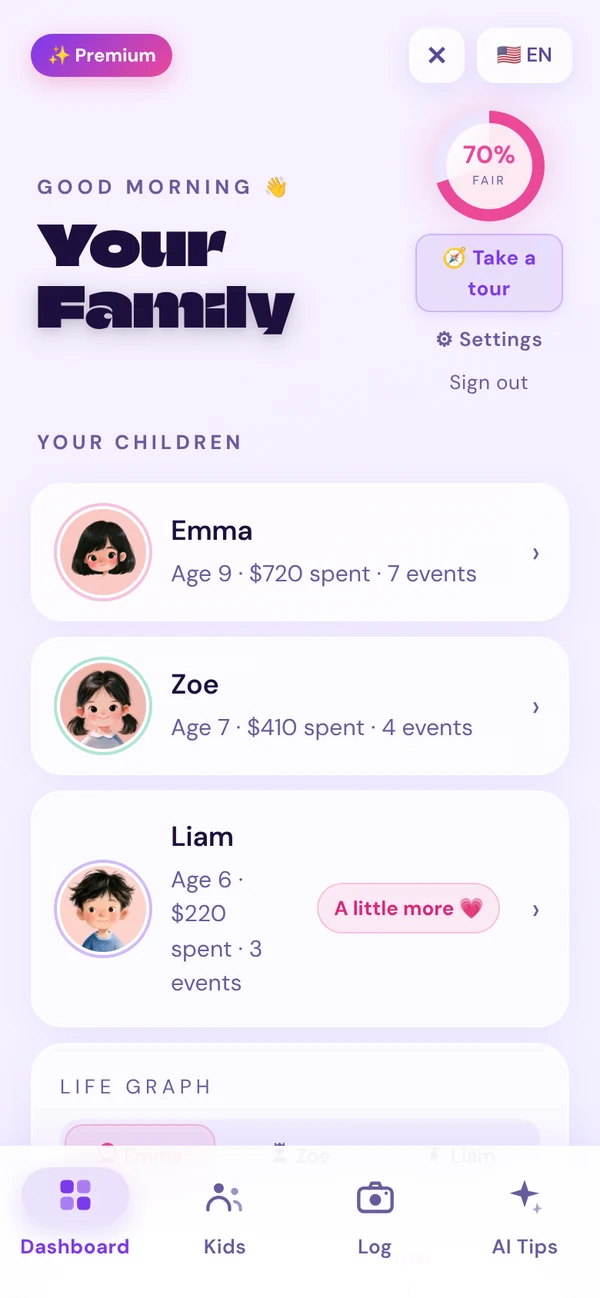
FairFamily dashboard
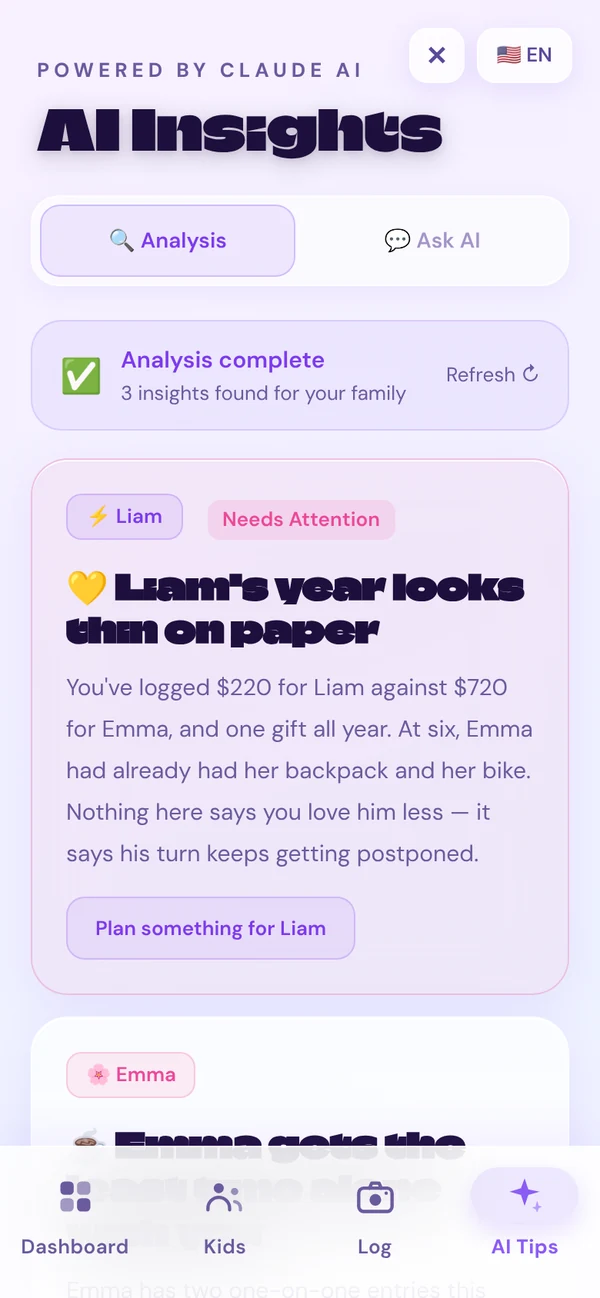
AI insight

Liam had 30 minutes one-on-one this month; Emma had 4 hours. Try 20 minutes × 3 with Liam this week.

Try it here

Three taps. No sign-up.

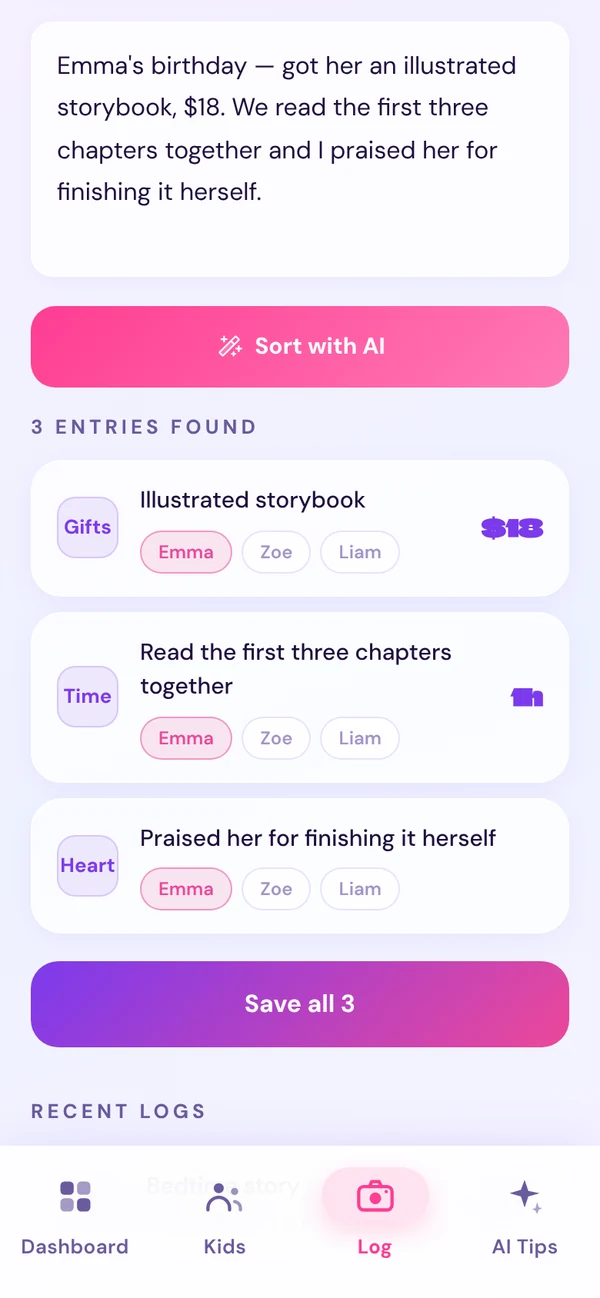
Write what happened. AI sorts it by child.

“She got a bike when she was seven. What did I get?”

Kids compare what they got at the same age. Parents rarely remember. FairFamily keeps the record, so every child gets their turn.

How it works

Write it down, compare, get a next step.

STEP 01

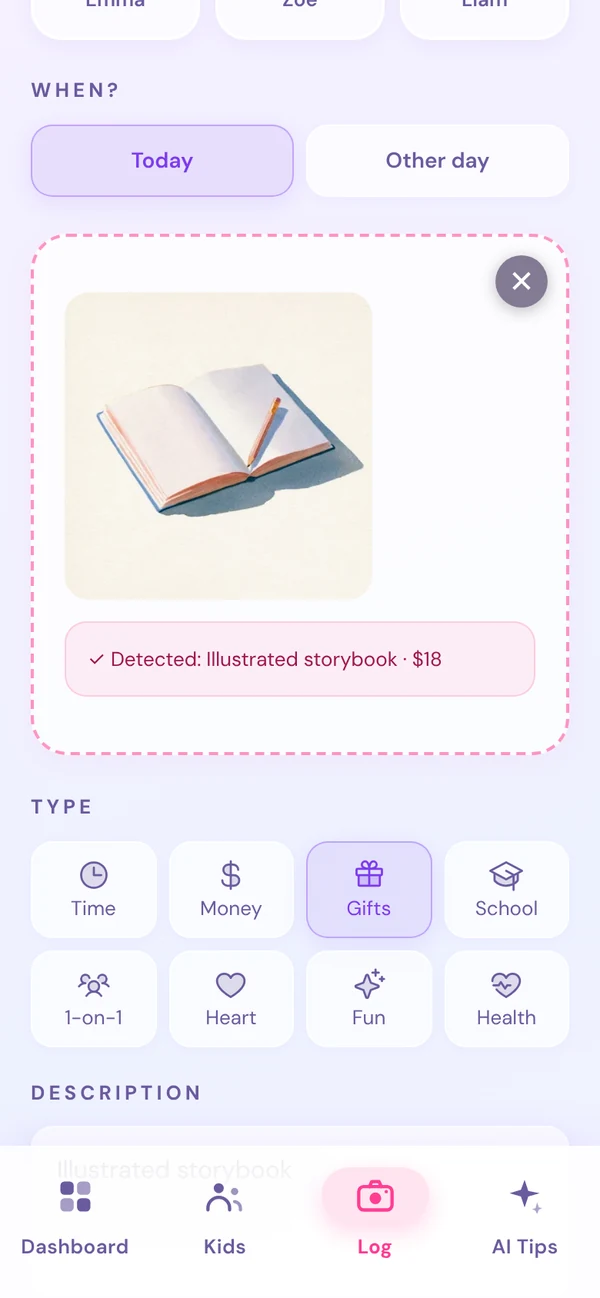
Write one sentence — or snap a photo

Type what happened the way you’d say it. AI splits it into entries by child and category. Or upload a photo of a gift or receipt and it fills in the details.

  • Several things in one sentence are split automatically
  • Photos are read for item, amount and category
  • Log past events with the right date and age
STEP 02

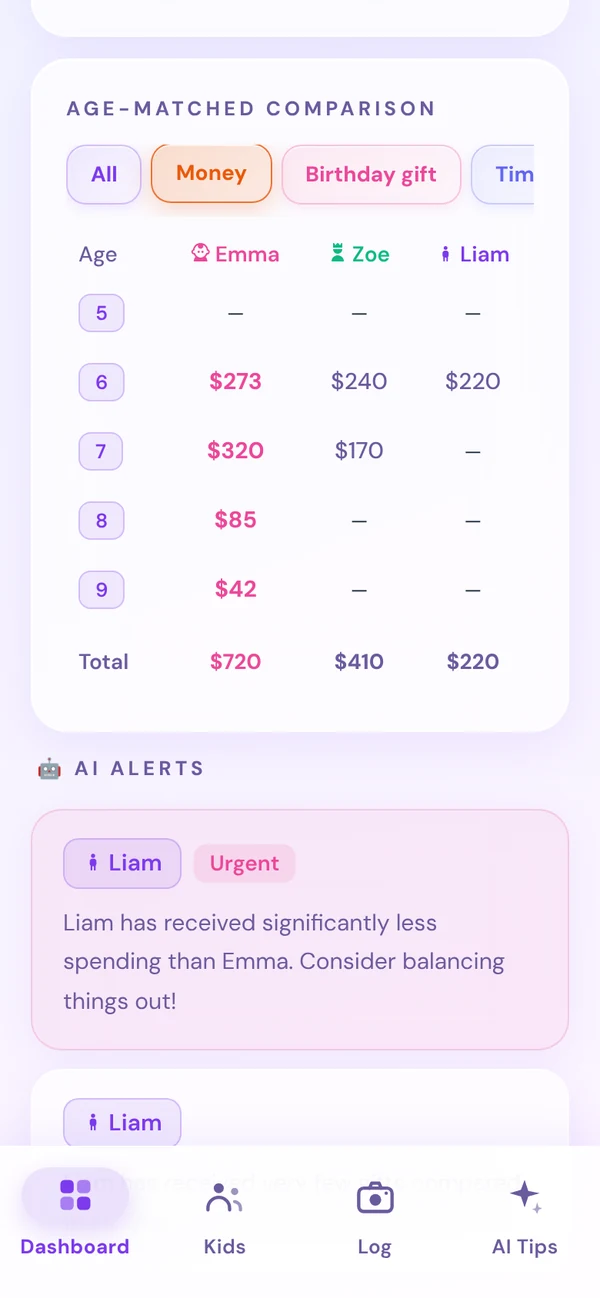
Compare siblings at the same age

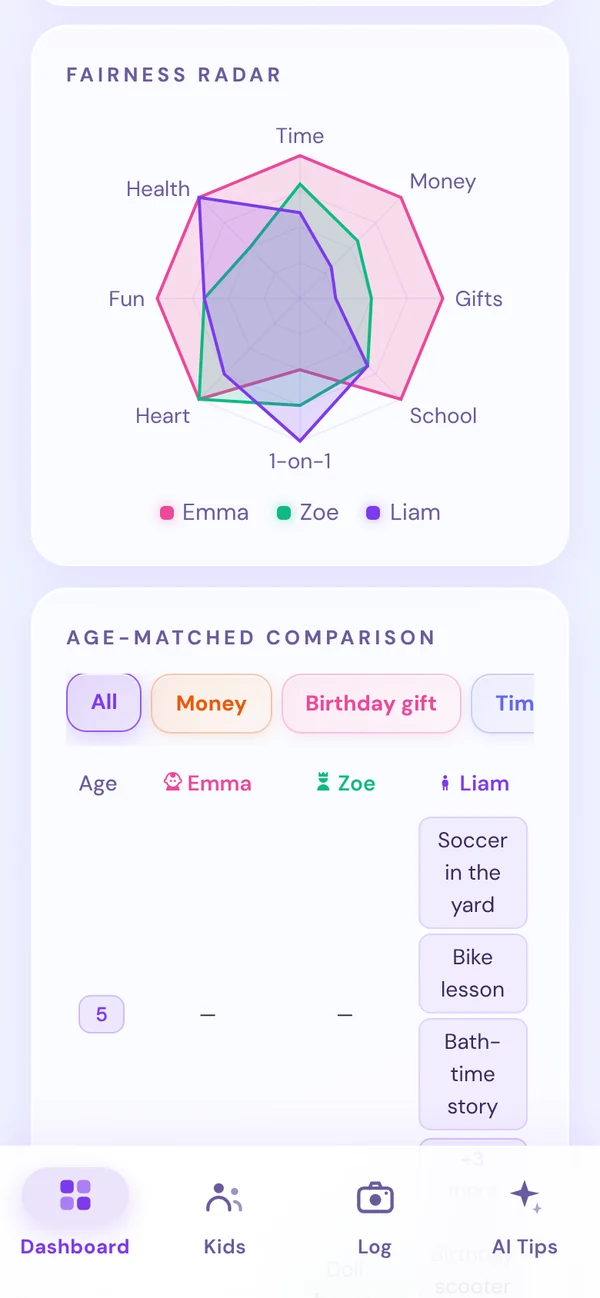
See what each child received at 6, at 7, at 8 — side by side. The fairness radar shows which kind of attention leans toward whom.

  • Age-matched comparison by money, birthdays, time and more
  • 8-area fairness radar for every child
  • Fairness score and alerts on the dashboard
STEP 03

Get a small, specific next step

The AI coach reads your family’s records and suggests what to do this week — who, what, and for how long. You can also ask it anything.

  • Insights for each child, based on your own records
  • Concrete suggestions, like 20 minutes × 3 a week
  • Warm and non-judgmental — no scores for parents
Features

Everything you need to keep it fair

One-sentence logging

Write it like a text message. AI splits it by child and category.

Photo scan

Snap a gift, receipt or report card. AI reads the item and amount.

Age-matched comparison

What did each child get at the same age? See it side by side.

Fairness radar

Eight areas of attention, one chart per child, overlaid.

Life graph

Every logged moment on a timeline of your child’s age.

AI coach

Personal insights and answers based on your family’s records.

What we track

Eight areas children notice

Each area is a line on the fairness radar. Tap one to read why it matters.

Privacy

Your family’s records stay yours

Saved to your account only

Every record is stored under your own login, separate from every other family.

Never shown to others

No other user can see your children or what you log.

Delete any time

Remove a child, all records, or your whole account from Settings.

FAQ

Questions from parents

Common questions from parents raising more than one child.

All questions
How can I treat my children fairly?

Fair doesn’t mean identical — it means every child gets what they need over time. FairFamily records the time, money, gifts, school support, one-on-one time, emotional care, experiences and health care each child receives, so you can see the balance at a glance.

How do I reduce sibling rivalry and jealousy?

Kids notice small differences long before we do. By logging one-on-one time and gifts for each child, and comparing what siblings got at the same age, you can give every child their turn — and the AI coach suggests gentle ways to rebalance.

Is FairFamily free?

Yes. FairFamily is free to download on Google Play.

What does FairFamily track for each child?

Eight areas: time together, money, gifts, school, one-on-one time, emotional care, experiences and health. Snap a photo or type one sentence and AI sorts it into the right category.

How does the AI coach work?

It looks at your family’s records and gives warm, practical suggestions — for example noticing that one child hasn’t had one-on-one time lately, or that an older sibling got something at the same age. It does not replace professional advice.

What ages is FairFamily for?

From babies to teenagers. The age-by-age comparison shows whether a younger sibling is getting the same milestones an older one did.

Is my family’s data private?

Your records are saved to your own account and are never shown to other users. You can delete your children’s data or your whole account at any time in Settings.
Start today. It’s free.

Add your children, write one sentence, and see the balance on your dashboard.

Get it free on Google Play
Get the app